- Do More Newsletter
- Posts
- Do More Newsletter
Do More Newsletter
Keep up to date on the latest products, workflows, apps and models so that you can excel at your work. Curated by Duet.

Greg Srabian
September 22, 2025
In partnership with


Stay ahead with the most recent breakthroughs—here’s what’s new and making waves in AI-powered productivity:
Kuailu Technology AI Office A game-changing intelligent office suite offering natural language commands, instant contract generation, AI-driven collaboration, digital twins (virtual professional agents), and advanced security—all aimed at streamlining workflow for enterprises of any size.
Skillsoft Percipio AI-Native Skills Platform This platform provides organizations with AI-powered tools to map, develop, and manage critical workforce skills, closing skill gaps and aligning training with business goals.
Read AI Agentic Workflow Suite These AI agents automatically analyze and summarize meeting communication from sources like Slack, Teams, and Zoom. The goal: minimize manual notes and maximize clarity for weekly and end-of-week priorities.
monday.com AI-Powered Agents New “agents” can execute entire workflow automations, interact in natural language, and seamlessly coordinate CRM campaigns and enterprise operations.
Google Workspace Gemini AI Updates Google Workspace, recently recognized as the best AI productivity assistant, just rolled out enhanced Gemini features for cross-app workspace automation, collaborative writing, and smarter context-aware insights—reshaping team productivity.

Kuailu Technology launched a full-scenario AI office platform that promises to redefine workplace efficiency and adaptability
The Kuailu AI Office harnesses natural language interaction, enabling employees to complete complex multi-system tasks with a single spoken or written command. Instead of users adapting to clunky processes, the AI platform flexibly adapts to employee workflows, reducing repetitive forms, eliminating information overload, and speeding up report generation.
Key modules and benefits include:
Sales Acceleration: Instantly generate and automate contracts, analyze customer data, and optimize deals in seconds.
Smart Procurement: Automatically compares suppliers, schedules, and performance, surfacing best sourcing options.
Automated Approvals: Simple voice commands trigger powerful multi-step approvals and stakeholder notifications.
Agile Recruitment & Financial Insights: HR teams scan resumes and draft job descriptions instantly, while finance dashboards provide real-time strategic guidance.
Digital Twins: AI agents simulate professional roles (sales, procurement, R&D), amplifying collaboration and organizational learning.
The platform’s low-code design allows flexible deployment without disruption. With this launch, Kuailu Technology signals a transformation in how AI partners with people, promising a secure, efficient, and more human office environment.
AI-Powered Productivity: Using AI to Organize Your Life

What AI can do is amazing, but the constant challenge is finding out what it can do now that is actually useful. We’re all busy, so it would be great if this new tool could speed up some tedious tasks and do the boring work for us. So here are some great ways you can use AI right now to help streamline common tasks.
Meal Planning and Grocery Shopping Made Easy
If you dread the weekly “What are we eating?” puzzle, AI can be a game-changer. You can literally feed your meal ideas or recipes into an AI and have it produce a consolidated grocery list. For example, my wife has used AI to help with meal planning by having it help her make a spreadsheet so she can choose the recipes for the week and have it spit out a shopping list.
But you can use it more directly by just asking it to help with meal planning and then having it tell you what you’ll need for it by using a prompt like this:
You are my meal-planning assistant. Plan 5 dinners for a family of 4 this week using the recipes below (paste links or ingredient lists).
Constraints: 30–45 min cook time, balanced meals, ~$150 total budget, 2 lunches from leftovers.
Output:
1) Day-by-day menu with recipe titles and links.
2) One consolidated grocery list grouped by Produce, Protein, Dairy, Pantry, Frozen. Combine duplicates and include quantities + units.
3) Short prep plan (what to batch-prep on Sunday).
4) Reasonable substitutions for common dietary needs (GF, veg) and a backup if an item is out of stock.
Recipes:
- [paste here]
Remember: The main skill of AI is making associations, so this is a task it excels at as it’s just taking its knowledge of recipes and groceries and merging the two. It also works the other way if you just tell it what you have in the pantry and let it come up with some recipes using what you already have.
Your Personal Assistant for Scheduling and To-Do Lists
We all wish we had an extra hour (or three) in the day. While AI can’t bend time (at least not the current gen), it can help us use our time more efficiently. Think of AI chatbots as personal assistants ready to organize your day and prioritize your tasks.
Organizing your day: If you provide a list of tasks or appointments, AI can help map out a logical schedule for you. For instance, you can ask, “Help me plan my day. I have 5 tasks: A, B, C... and I need to also fit in a gym session and picking up the kids by 5 PM.” ChatGPT and similar tools excel at parsing your to-do list and suggesting a sensible timetable. It can help you plan your day, organize tasks, streamline your focus, and even automate repetitive processes (using agents). In other words, it’s like an on-demand secretary that never gets tired of rearranging your calendar.
Prioritizing and breaking down tasks: Ever stare at a long to-do list and not know where to start? AI can apply time-tested productivity frameworks to your tasks. For example, it might use the Eisenhower Matrix (sorting tasks by urgency and importance) or other methods to label what’s high priority and what can wait. If you feed it a “bloated” task list, it can break big, vague tasks into smaller actionable steps. This makes large goals feel manageable rather than terrifying. One of the neat things about AI is that it can even suggest time blocks for each task – effectively helping you create a time-blocked schedule so you know, say, 9-10am is for answering emails, 10-11am for that report, and so on. By structuring your day and batching similar tasks together, you reduce the mental load of constantly deciding “what should I do next.”
Never forget a thing: AI can set gentle reminders and follow-ups if you ask. While it’s not actively poking you like a calendar alert (unless you integrate it with one), you can certainly use it to generate checklists. For instance, “Remind me of the 5 things I need to do before going on vacation” – it will happily list them, and you can keep that chat handy. There are even emerging features like ChatGPT’s Scheduled Tasks that let the AI reach out with reminders at set times. Imagine getting a nudge from an AI in the morning saying, “Remember to submit that report today!” or “It’s 3 PM – time for a stretch break.” It’s like a friendly supervisor who actually helps you focus. As one time management expert put it, ChatGPT can act like a personal assistant to keep your day on track, helping suggest priorities, break down goals, and even remind you to take breaks so you don’t burn out.
Handling overwhelming information
Another everyday scenario: wading through long emails or meeting notes. Nobody enjoys scrolling through a 2,000-word meeting transcript looking for action items. Here’s where AI’s summarization superpower shines. Modern AI tools can condense lengthy text into a concise recap without losing the important stuff. For example, if you give ChatGPT a multi-paragraph email from your boss, it can spit back a summary: “Key points: Project due date moved to Friday; need feedback on the draft; team meeting at 3 PM,” and so on. In fact, AI can shrink a 2,000-word meeting transcript into a 5-bullet summary, or turn a long email thread into a short paragraph of the main action items. This not only saves you time, it also helps ensure you don’t miss critical details buried in the fluff. As a bonus, having AI highlight decisions, deadlines, and to-dos means less chance of miscommunication – everyone can quickly get on the same page about what was decided.
Writing and Communication: Drafts in a Dash
Not everyone loves writing, especially when it comes to routine or stressful communications. Whether you need to draft a professional email, write a cover letter, or even craft a polite text to your landlord, AI can help get the words flowing.
Email replies and correspondence: If you struggle with wording, you can ask AI to draft an email based on bullet points. For instance: “Compose a friendly email to my child’s teacher explaining that we’ll be on vacation next week and thanking them for their support.” You’ll get a nicely worded draft that you can tweak and send. The tone can be adjusted too — tell it to be formal, casual, funny, or empathetic, and it will adjust the style. This can save you from staring at a blank email compose window, trying to find a polite way to say “Thanks, got it!” or drafting yet another leave request.
Reports, letters, and more: For longer writing tasks, think of AI as your first-draft assistant. Need to write a short report or a summary of research? The AI can generate a structured draft if you provide it with the key points you want to include. You’ll still have to fact-check and personalize it (very important!), but it’s much easier to edit than to start from scratch. Similarly, AI can help word delicate messages – maybe a condolence note or a congratulations message – where you know what sentiment you want to convey but not the exact phrasing. It’s like having a super-fast ghostwriter on call.
Brainstorming content: Say you want to start a blog post or a social media caption but have zero ideas. Prompt the AI with something like, “Give me five fun social media post ideas about organizing a home office” or “Brainstorm blog topics about quick weeknight dinners.” You’ll get a burst of ideas to get your creative juices flowing. Even professional writers use AI for overcoming writer’s block or generating outlines. It’s a huge time-saver when you need a spark of inspiration.
The idea isn’t to let the AI replace your voice, but to use it as a collaborator. It provides a draft or suggestions, and you make it you. By speeding up the dull or difficult parts of writing, you can focus on refining the message and adding your personal touch.
Travel Planning in a Snap
Planning a trip can be exciting—but also overwhelming. Where to go? What to do? How to budget? Good news: AI can wear the hat of a travel agent and tour guide, helping you organize your next getaway.
Choosing a destination: If you have some criteria in mind (beach vacation, not too touristy, within a 5-hour flight, under $X budget), you can ask AI for suggestions. AI can surface hidden gems by matching your wish list with its vast knowledge of the world.
Building itineraries: Once you know where you’re going, ask the AI to be your itinerary planner. You can specify the number of days and any must-do items, and it will outline a day-by-day plan. It’s great at balancing activities: for example, you can request a mix of relaxation, sightseeing, and local cuisine each day. This can save you hours of Googling and cross-referencing travel blogs.
Budgeting and logistics: Need to figure out how much to budget for flights, hotels, food, and fun? AI can break it down. You can also have it suggest “3 boutique hotels in my destination that are quiet, modern, and near the beach, with prices and amenities” – a huge time saver compared to trawling TripAdvisor yourself.
Local insights: To make a trip special, ask the AI for cultural tips: basic phrases in the local language, etiquette (tipping norms, how to greet), or any local events during your stay. It can provide a quick primer so you don’t feel like a clueless tourist. AI can also generate packing lists tailored to your destination and season (“Pack a light jacket for cool evenings, don’t forget sunscreen, here are essential documents, etc.”), so you’re well-prepared.
Using AI for travel planning is like having a dedicated travel consultant who can instantly research anything. You should still double-check important details (like travel restrictions or real-time info), but for the broad strokes and ideas, it’s amazingly efficient. It turns what could be a multi-night research marathon into a fun brainstorming session. The best part is that you can iterate: “Not keen on that museum, what else could I do on Day 2?” – and the AI will adjust the plan. It’s your trip, your call, with AI doing the legwork.
Regain Your Time
So this was just a few examples to start with that you can try now to use AI to speed up tasks. AI tools like ChatGPT, when used correctly, are essentially productivity multipliers – they won’t live your life for you (sorry, laundry and dishes are still on us until the robots are perfected), but they can streamline and speed up the planning and thinking parts of tasks. The beauty is that you don’t need to be a tech expert to use them. If you can text or type, you can ask ChatGPT to help with something in plain English (or any language you prefer). And it’s available on-demand, which means whether you get a brainstorm at 2 AM or need help first thing in the morning, the AI is awake and ready.
So go ahead and give it a try. If you haven’t already, experiment with a common AI tool (many are free) for one of your daily tasks. You might be surprised at how much it can lighten your load. Maybe start with something fun, like asking for a week’s dinner ideas or a packing list for a trip, and see if it doesn’t feel like magic. AI still has a long way to go in many areas, but it can already be a trusty sidekick to you throughout your day.

Partner Spotlight: Duet Display
Transform any device into a versatile productivity hub with Duet Display—trusted by professionals worldwide. Easily link your tablet, phone, or secondary computer as a wireless display for Mac, or PC. With touch and Apple Pencil support and ultra-fast connectivity, Duet Display is the go-to tool for remote work, creative teams, and business travelers.
Discover more at: duetdisplay.com
Training cutting edge AI? Unlock the data advantage today.
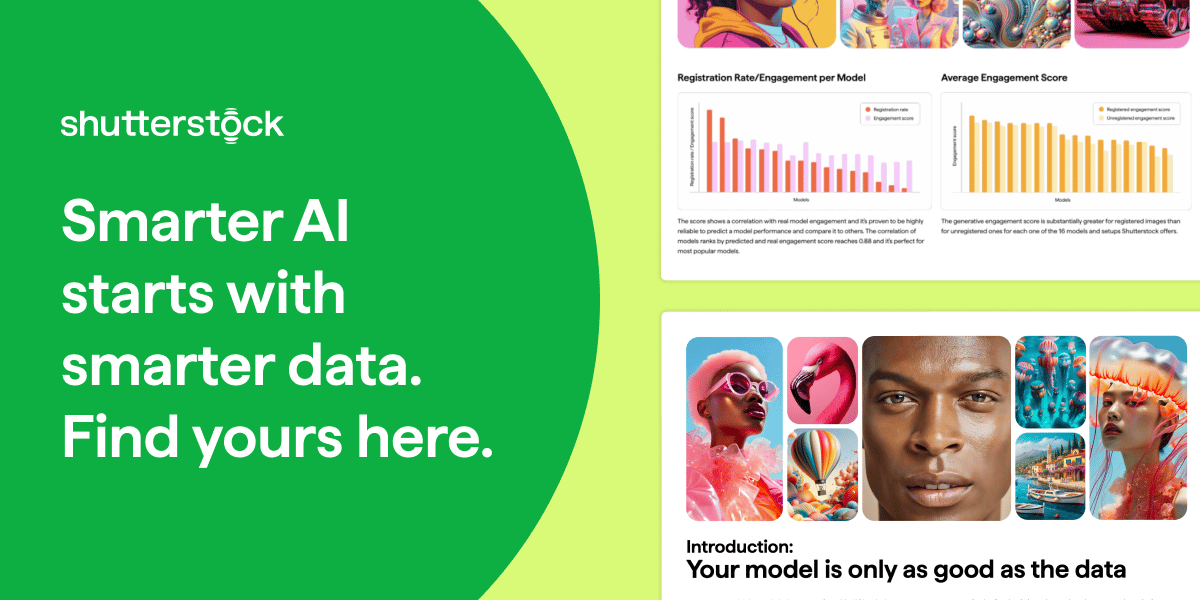
If you’re building or fine-tuning generative AI models, this guide is your shortcut to smarter AI model training. Learn how Shutterstock’s multimodal datasets—grounded in measurable user behavior—can help you reduce legal risk, boost creative diversity, and improve model reliability.
Inside, you’ll uncover why scraped data and aesthetic proxies often fall short—and how to use clustering methods and semantic evaluation to refine your dataset and your outputs. Designed for AI leaders, product teams, and ML engineers, this guide walks through how to identify refinement-worthy data, align with generative preferences, and validate progress with confidence.
Whether you're optimizing alignment, output quality, or time-to-value, this playbook gives you a data advantage. Download the guide and train your models with data built for performance.
Stay productive, stay curious—see you next week with more AI breakthroughs!